How to Watch CS2 Demos in a 2D Viewer?
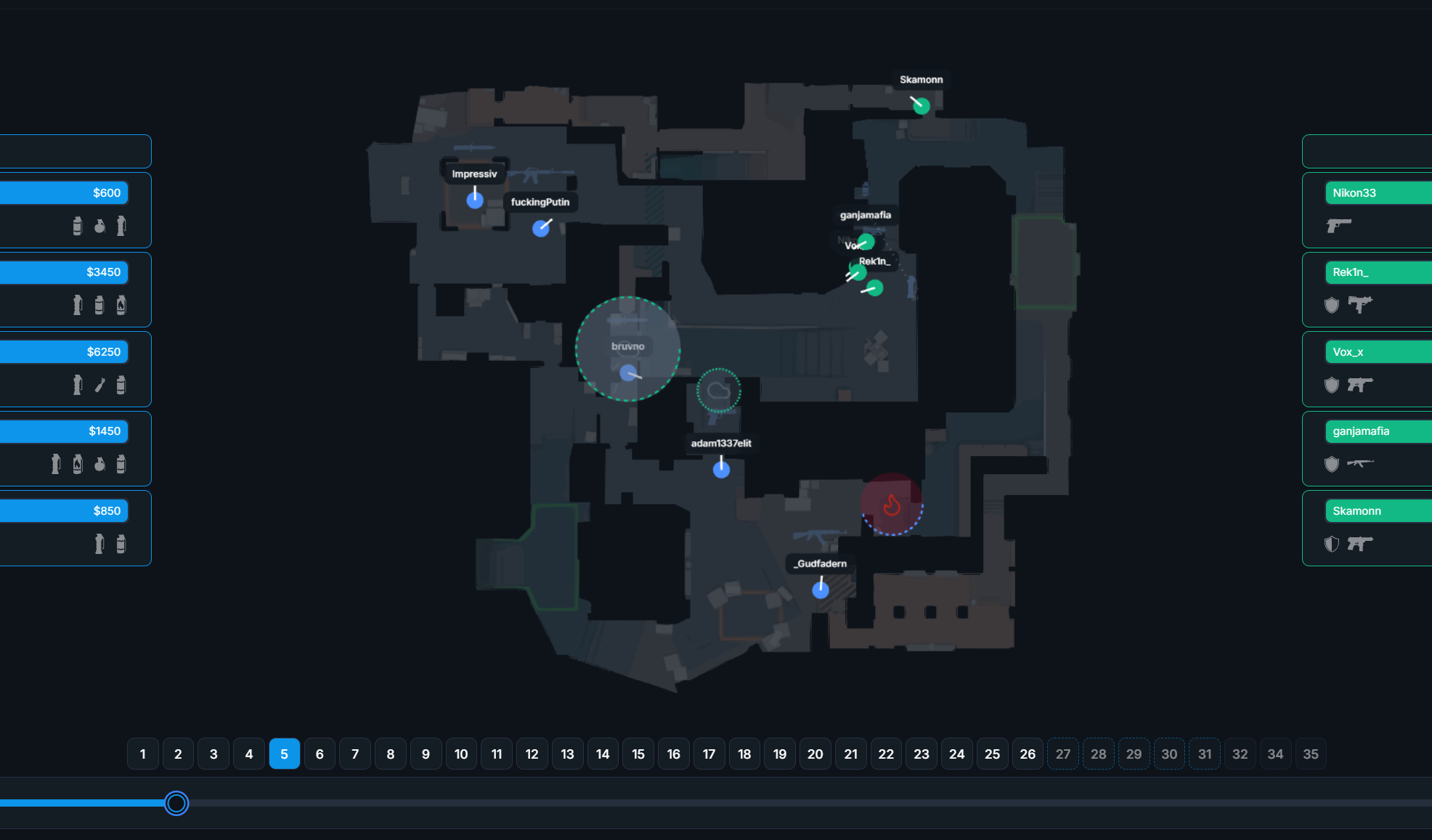
CS2 demos have always been available through the in-game "playdemo" interface. However, 2D demo viewers have recently gained massive popularity. A 2D viewer allows you to watch matches from a top-down perspective, making it easier to analyze team strategies, review opponent gameplay, and identify mistakes. This method is widely used by professional CS2 teams and analysts to refine tactics and improve performance.
TL;DR - Quick Steps to Watch CS2 Demos in a 2D Viewer
- Go to SCL: 2D Demo Viewer and log in.
- Upload your CS2 demo (.dem file) – compressed formats like .rar, .7z, .gz, and .zip are also supported.
- Wait 1-2 minutes for processing, then refresh the page.
- Find your demo under "Your 2D Replays" and click View to start analyzing!
Watch CS2 Demos in a 2D Viewer – Full Guide
- Go to SCL: 2D Demo Viewer and log in.
- Click the Upload Demo button in the top-right corner.
- Upload a .dem file (rar, 7z, gz, and zip are also supported).
- The upload and parsing process takes about 1-2 minutes to complete.
- Refresh the page and find your uploaded demo under "Your 2D Replays."
- Click View and start reviewing your match!
Why Use a 2D Demo Viewer?
- Better Tactical Analysis – Watch the match from above and understand team movement.
- Faster Review – Skip unnecessary parts and jump directly to crucial moments.
- No Performance Issues – Unlike in-game replays, a 2D viewer doesn’t require high-end hardware.
- Professional-Grade Insights – Many CS2 pro teams rely on 2D replays to refine their gameplay.
Is It Free?
Yes! SCL’s 2D demo viewer is completely free to use. Some platforms offer paid services, but the SCL viewer provides a similar experience at no cost. It also includes professional match demos from the same day, similar to what you'd find on HLTV.
Useful Commands
[Space Key] - Pause and Resume playback.
[Keys 1-4] - Adjust demo playback speed.
Frequently Asked Questions (FAQ)
Q: How do I find my CS2 demo files?
A: You can find your match demos in:
C:\Program Files (x86)\Steam\steamapps\common\Counter-Strike Global Offensive\game\csgo
Q: Can I watch professional CS2 matches in the 2D viewer?
A: Yes! SCL provides daily pro matches that anyone can watch and analyze.
Q: What are the advantages of using a 2D viewer instead of the in-game playdemo?
A:
🔹 Faster navigation – Easily seek through key moments.
🔹 Team movement analysis – View entire team rotations and setups.
🔹 No FPS drops – Works without affecting your PC’s performance.
Q: Can I share my 2D replay with my team?
A: Yes! Once uploaded, you can share the replay link with teammates for analysis.
Q: Does the 2D viewer support compressed files?
A: Yes! You can upload .rar, .7z, .gz, or .zip files directly.